Nurture AI 2.0: Smarter Follow-Ups, Faster

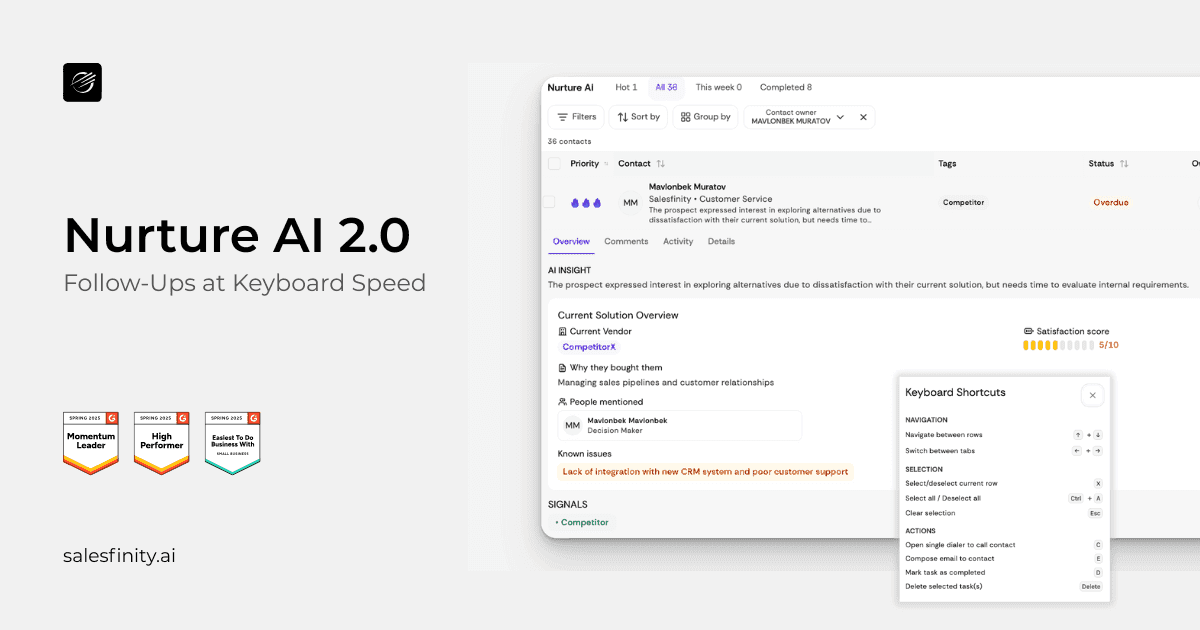
Nurture AI 2.0
Never Miss a Follow-Up Again
TL;DR
Nurture AI automatically identifies when a prospect should be followed up with and why, based on real sales conversations.
NurtureAI 2.0 makes acting on those follow-ups faster and easier, helping reps stay consistent without relying on memory, notes, or manual task management.
⚙️ What’s New in Nurture AI 2.0
Nurture AI 2.0 introduces a faster, more focused follow-up experience.
With a cleaner interface and a keyboard-driven workflow, reps can move through follow-ups quickly, handling calls, emails, and task actions directly from the task list while staying in flow.What’s new in Nurture AI 2.0
✨ A refreshed, cleaner interface built for speed
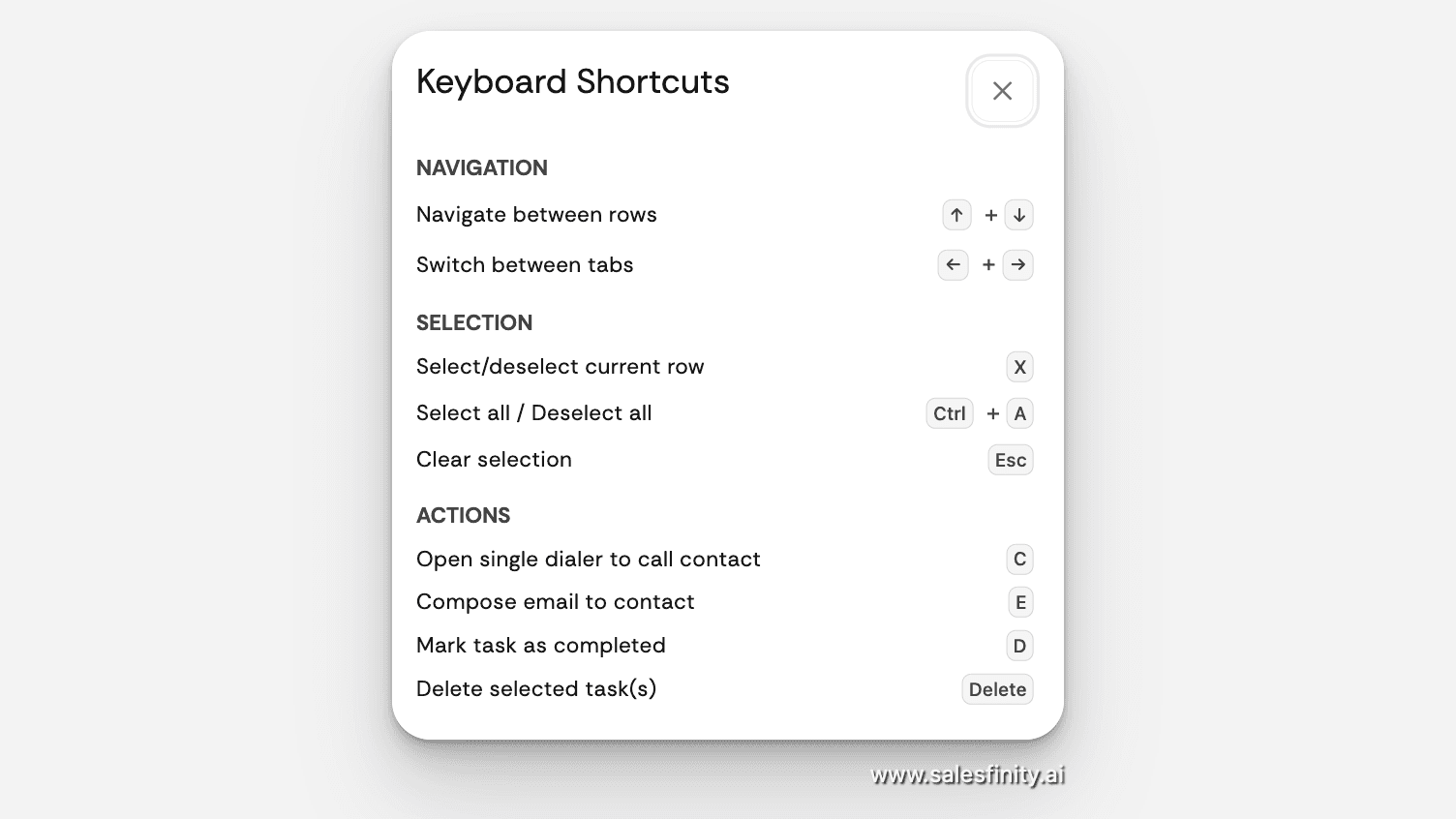
⌨️ Brand-new keyboard shortcuts for everything
🚫 Fully mouse-free workflow
You can now:
Call
Email
Open tasks
Snooze
Delete
Mark completed
All using simple keyboard shortcuts.
No clicking. No context switching. Just flow.
It’s an insane time saver for reps living in follow-ups.
🧠 What is Nurture AI?
For those new to it, Nurture AI is Salesfinity’s follow-up scheduler and task management system.
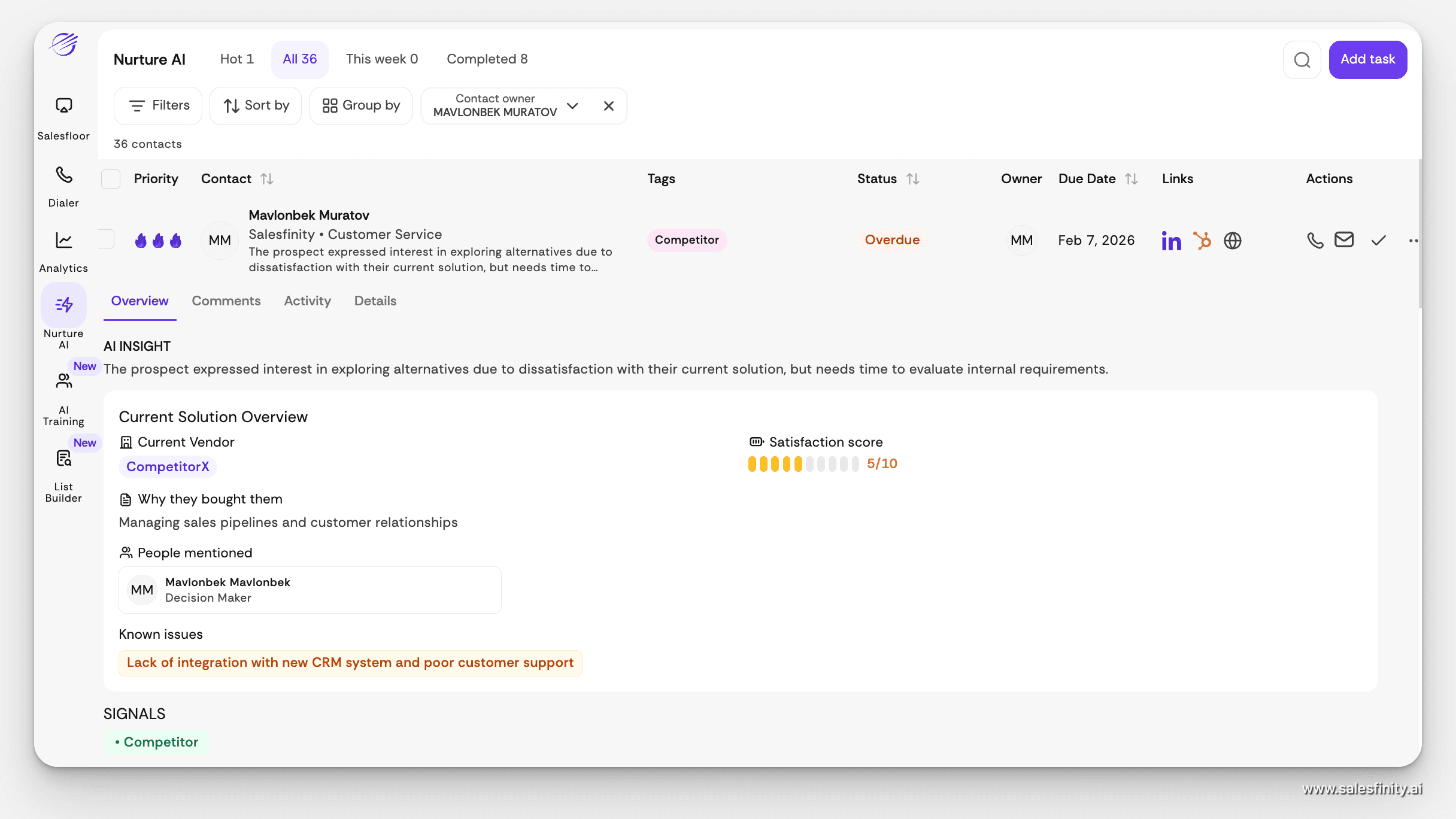
After each call, Nurture AI automatically:
Analyzes the conversation
Summarizes notes
Tags objections (timing, budget, competitor, etc.)
Captures current solution and key stakeholders
Schedules the right follow-up at the right time
So good fits never slip through the cracks, and you know exactly how to re-engage when the timing is right.
⏱️ How Nurture AI Identifies Follow-Ups
Nurture AI analyzes conversations and engagement to detect two types of high-signal moments.
Timing signals
When a prospect explicitly references a future point of contact, such as:
Asking to reconnect at a specific time
Requesting a follow-up after an internal decision
Suggesting to check back later in the process
Intent signals
When a prospect shows buying-related behavior, such as:
Expressing interest but not readiness
Mentioning a competitor
Requesting more information
Saying “not now” rather than “no”
These signals ensure follow-ups are created for meaningful reasons, not simply because a call ended.
📋 A Central Place for Every Important Follow-Up
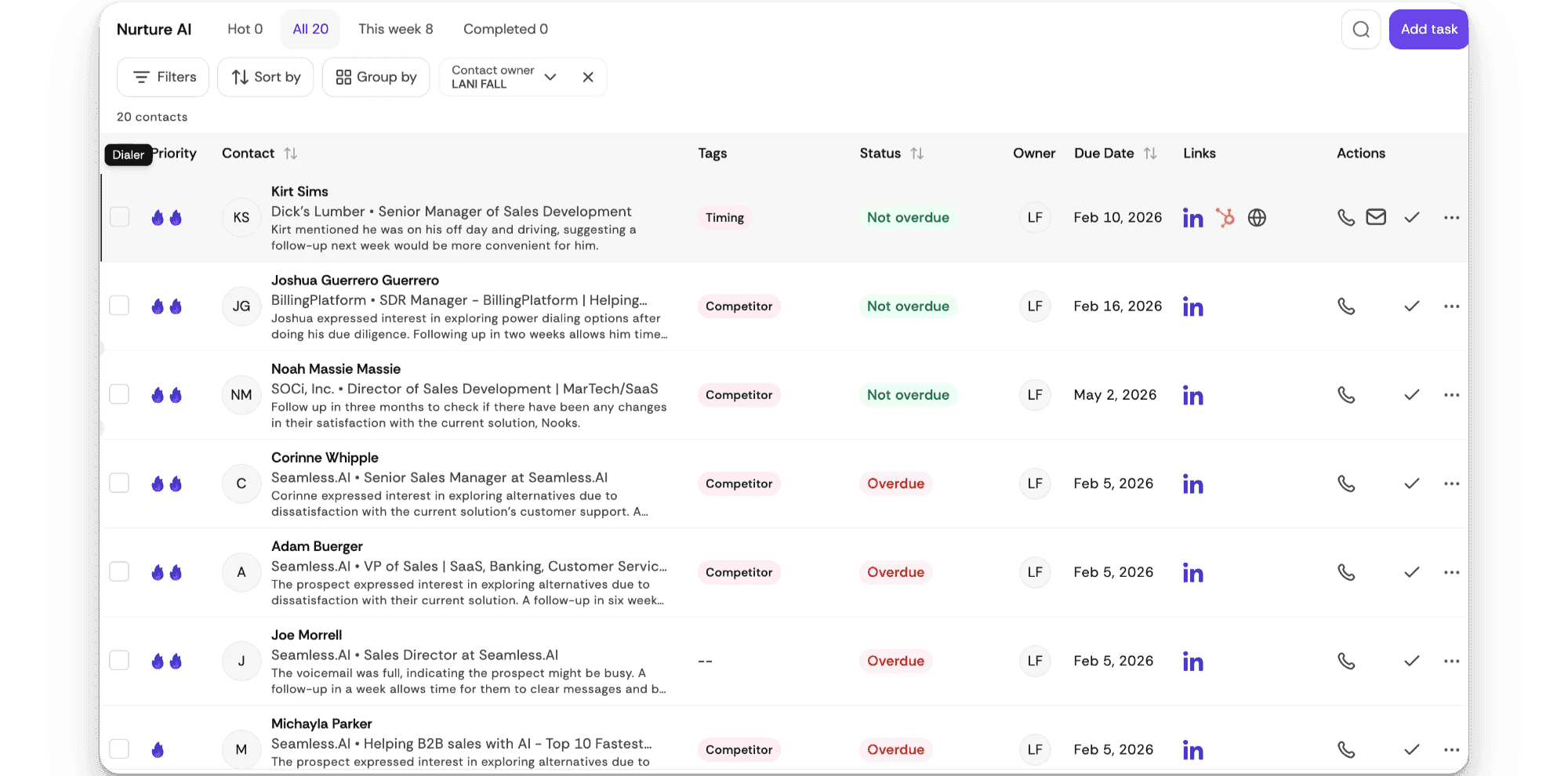
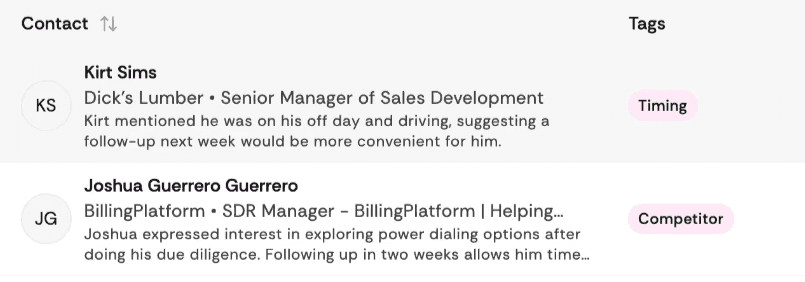
All Nurture AI follow-ups appear in a centralized task view designed to help reps move quickly while staying focused.
From this view, reps can easily see:
Which follow-ups are most urgent
Who the contact is and where they work
The reason the follow-up was created
Due dates and overdue status
Task ownership
This removes the need to search across tools to figure out what needs attention.
🏷️ Built-In Context With AI-Generated Tags
Each follow-up task includes tags generated by NurtureAI that explain the reason behind it.
Common tags include:
Timing
Interest
Competitor
These tags give reps immediate context before reaching out, helping them tailor their message without re-reading call notes or recordings.
✉️ Faster Follow-Ups With AI-Assisted Email
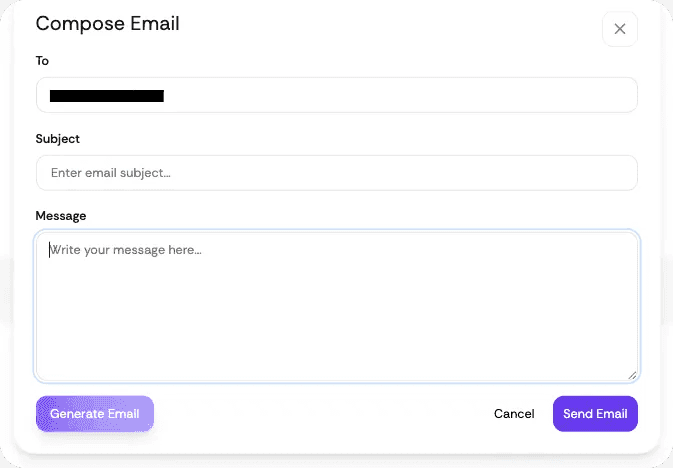
NurtureAI allows reps to send follow-up emails directly from the platform using AI-assisted messaging.
This helps teams:
Respond more quickly to warm opportunities
Keep messaging consistent across follow-ups
Spend less time drafting repetitive emails
This is especially useful for follow-ups driven by timing or expressed interest, where speed and clarity matter.
🎯 Why This Matters in Real Sales Life
Nurture AI leads are 2–4× more likely to convert than cold leads.
Typically see 15–25% connect rates, far higher than cold calling.
With Nurture AI 2.0, working those warm follow-ups is now faster than ever.
👉 Log into Salesfinity and try Nurture AI 2.0 today.
Once you go keyboard-only, you won’t go back.
If you liked this article, check this one out:
[Salesfinity Shipped - Our january product updates]