What's New in Salesfinity: Sequence Management & Automatic Referrals


What's new
Two product updates shipped this week. Both kill the same problem: reps having to leave the dialer to do work that should happen inside it.
1. Manage sequences without leaving Salesfinity
Add, remove, and move contacts between sequences — right inside the dialer.
Prospect on a cold call says "just email me, I don't take calls"? Move them to your nurture cadence in two clicks and keep dialing.
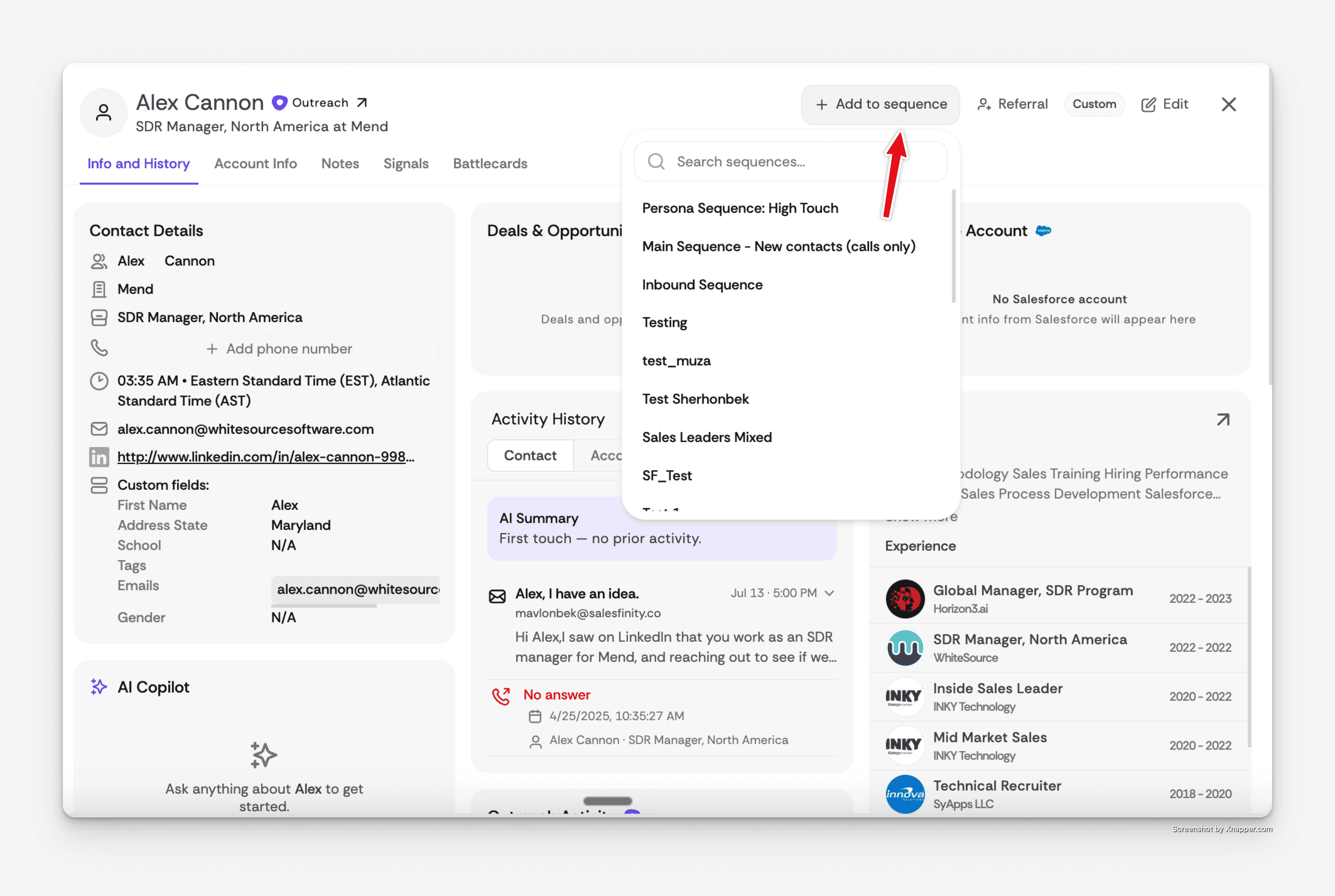
Until now, this meant stopping the session, switching to Outreach or Salesloft, finding the contact, and re-enrolling them in another sequence — about four minutes of context-switching per prospect. Most reps just didn't bother, and the lead fell through.
Now it's two clicks. The rep stays in the dialer. The lead lands in the right cadence. Nothing breaks.
2. Automatic referrals — the next person you dial
Search the referred contact. We find them, enrich the phone, and queue them up next.
About 60% of cold calls end with "talk to someone else." The old workflow to actually work that referral — stop dialing, open LinkedIn, find the contact, enrich the number, add to a sequence, wait for the task — took 10 to 15 minutes per lead. Most never got worked at all.
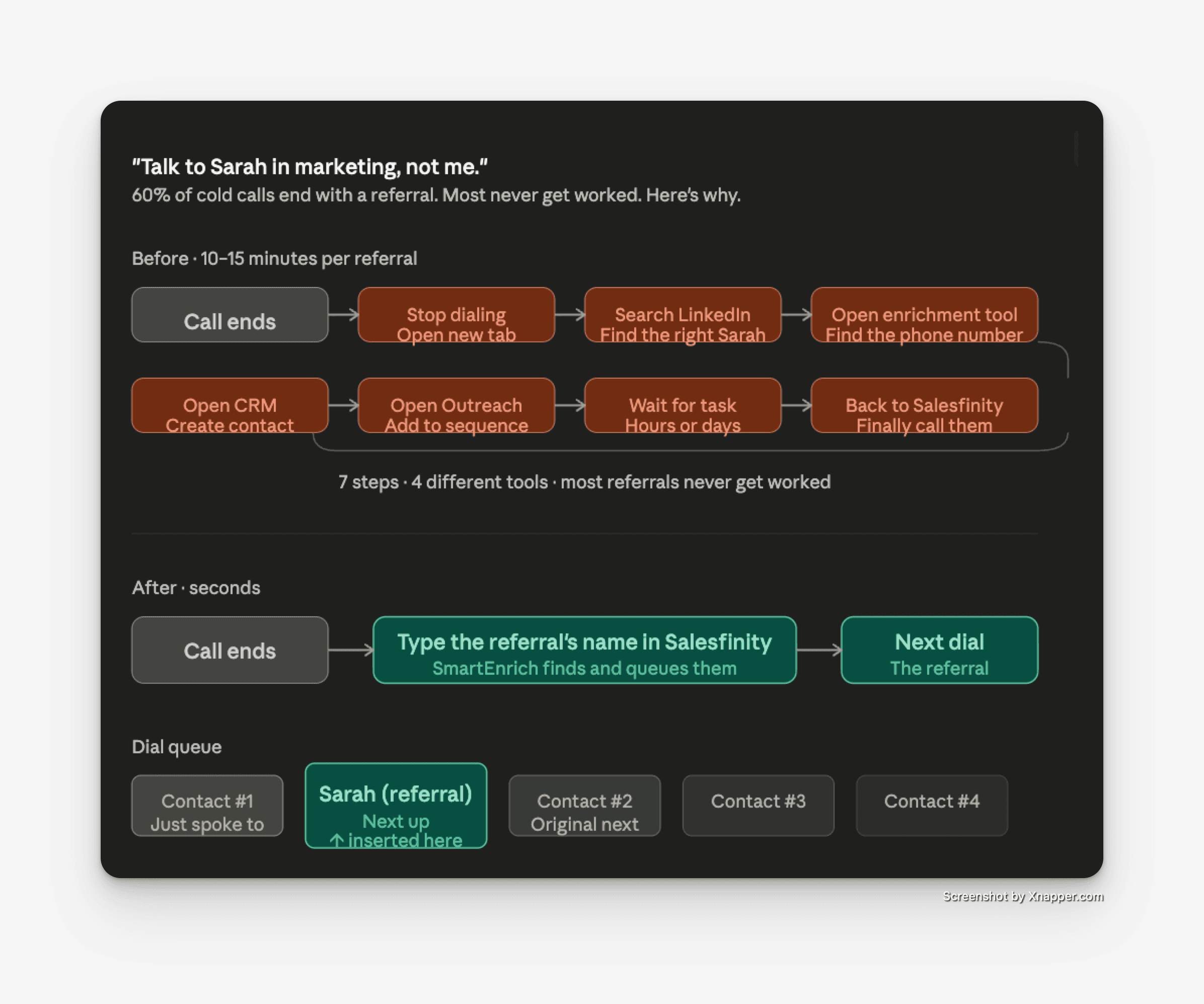
Now your rep types the referred contact's name in Salesfinity. We find them, enrich the phone number, and slot them straight into the dial queue.
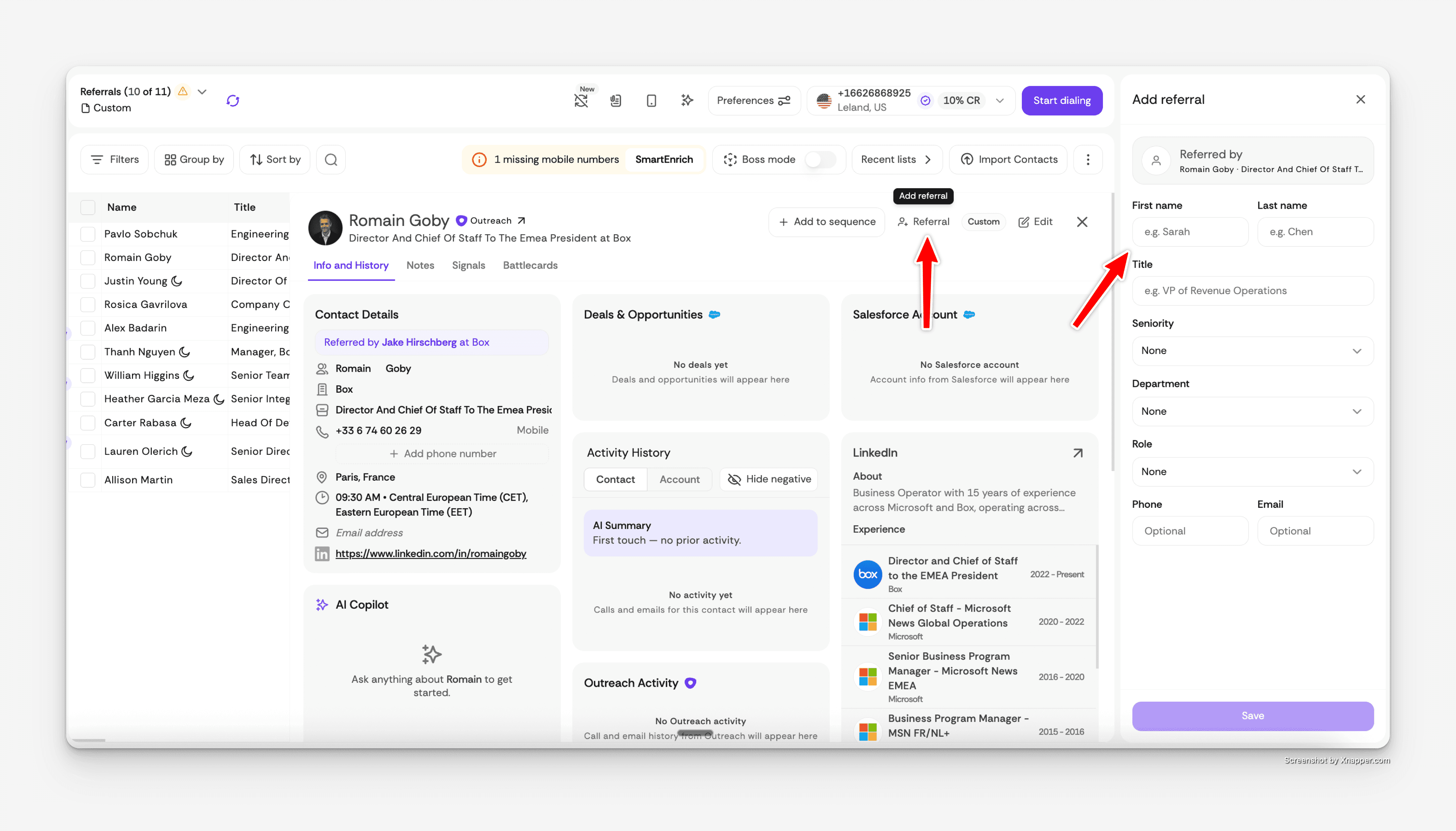
The very next number your rep dials is the referral the prospect just handed them.
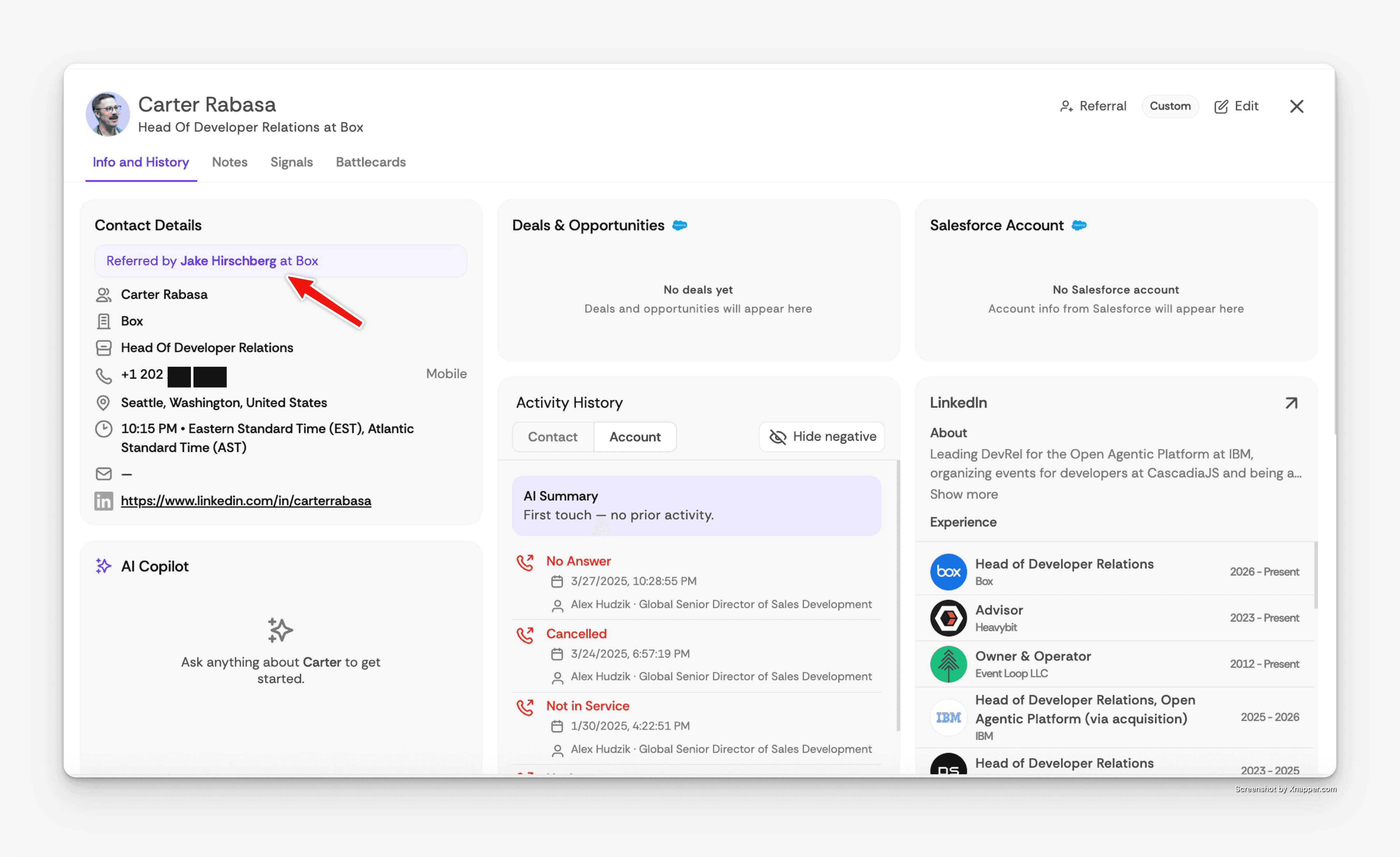
This is one of those features that doesn't sound revolutionary until you watch a rep use it once. Then it's hard to imagine working any other way.
Available on Enterprise, or any plan with the SmartEnrich add-on. Uses SmartEnrich credits per referral.
Both live today. On by default. Enjoy!
Frequently Asked Questions
What is sequence management inside Salesfinity?
Sequence management lets SDRs add contacts to a new sequence, remove them from the current one, or move them between sequences directly inside Salesfinity — without switching to Outreach, Salesloft, or any other sales engagement platform. The rep stays in the dialer, the cadence system stays in sync, and no lead falls through.
Can I move a contact between Outreach or Salesloft sequences from inside Salesfinity?
Yes. Salesfinity integrates natively with Outreach, Salesloft, and other major sales engagement platforms. When a rep moves a contact between sequences inside Salesfinity, the change is written back to the connected platform in real time. No manual sync, no duplicate work.
When would I move a prospect to a different sequence mid-call?
The most common case is when a prospect asks to be contacted differently — "just email me," "I don't take cold calls," or "reach out next quarter." Instead of losing the lead or writing a follow-up note that may never get worked, the rep moves the contact to an email-only nurture cadence or a long-cycle sequence in two clicks and keeps dialing.
What are automatic referrals in Salesfinity?
Automatic referrals lets SDRs handle a referred contact in seconds. When a cold call ends with "talk to someone else," the rep types the referral's name into Salesfinity and the platform finds the contact, enriches their phone number using SmartEnrich, and queues them as the next dial. The lead is called within seconds of being mentioned.
Why do most referrals from cold calls never get worked?
The traditional workflow for working a referral from a cold call takes 10 to 15 minutes per lead — stop dialing, open LinkedIn, find the right person, switch to an enrichment tool to find their phone number, create them in the CRM, enroll them in a sequence, and wait for the task to become due. By the time the rep gets back to dialing, the moment is gone. Most reps simply don't do it, and the referral is lost.
How does automatic referral enrichment work?
When a rep searches for a referred contact inside Salesfinity, the platform identifies the right person at the prospect's company using SmartEnrich and pulls a verified phone number. The contact is then inserted into the dial queue immediately after the current call, so the next number dialed is the referred contact.
Which plans include automatic referrals?
Automatic referrals is available on the Enterprise plan or on any Salesfinity plan with the SmartEnrich add-on. Each referred contact consumes SmartEnrich credits, since the feature uses verified enrichment data to find and reach the right person.
Do I need to enable sequence management or automatic referrals?
No. Both features are live today and on by default for every Salesfinity account on a plan that supports them. There's no setup, no toggle, and no upgrade required for sequence management. Automatic referrals requires Enterprise or a SmartEnrich add-on.
Which CRMs and sales engagement platforms does Salesfinity integrate with?
Salesfinity integrates natively with Salesforce, HubSpot, Outreach, Salesloft, Apollo, Amplemarket, Lemlist, Smartlead, Gong, CSV, and more. Activities, dispositions, AI-generated call summaries, and cadence task completion are written back to each system in real time. An open API, webhooks, and event streaming are also available for custom integrations.
How can I try Salesfinity?
You can book a demo of Salesfinity. Setup takes a few minutes, and Lightning Mode is enabled on every account by default.